
SightCity
FeelVision Award
Your vote. Your choice. Your highlight.

Assistive devices are not abstract products. They transform everyday life, open doors and restore independence. Who better than the people who use them every day to judge what really makes the difference?
That is precisely the idea behind the SightCity FeelVision Award – a public vote that highlights what really matters: the views of the people for whom these products are designed. In 2026, it will be presented for the third time.
The 2026 candidates
Glasses for the Blind
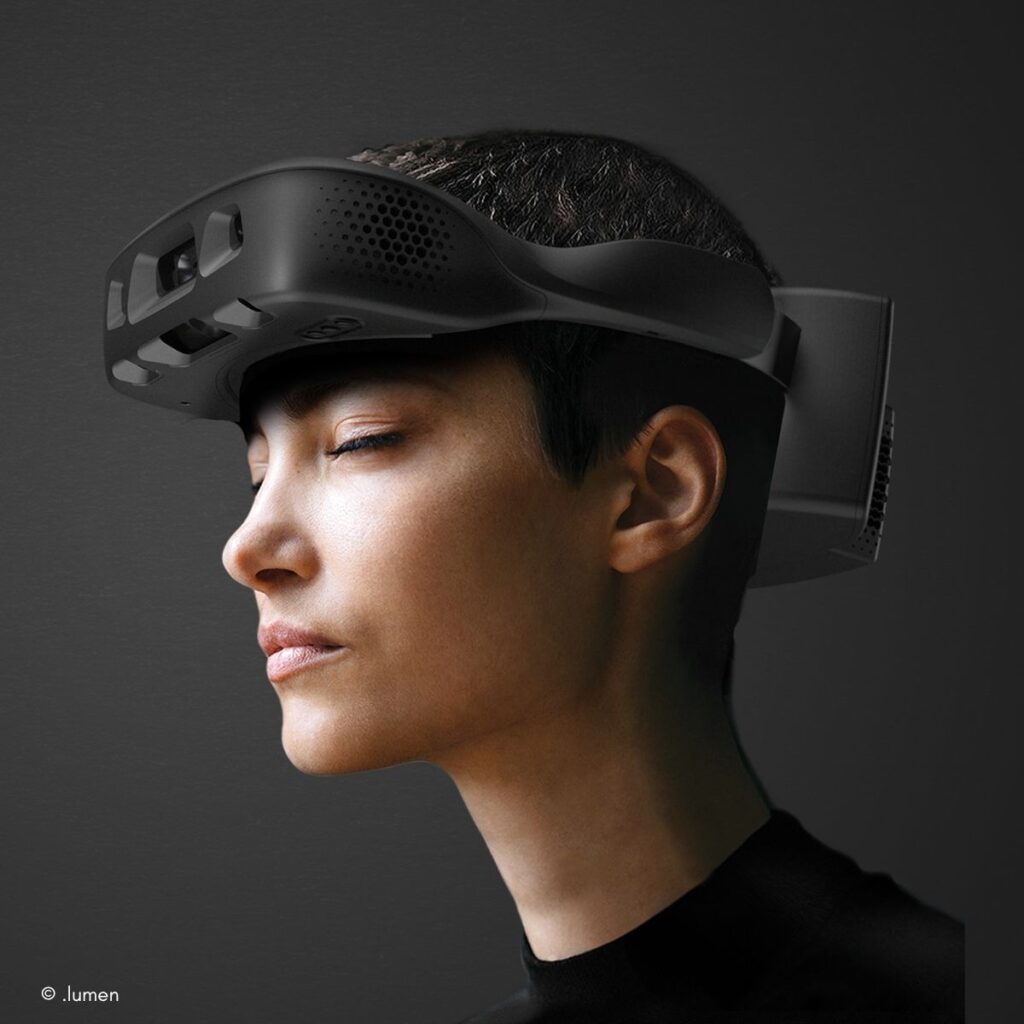
AI-powered .lumen Glasses scan the surroundings in real time and guide blind and visually impaired people safely through their environment using intuitive vibrations. Rather than simply describing obstacles, they provide specific directions, hands-free and without the need for maps, infrastructure or constant audio prompts. Within minutes, this creates a natural sense of direction, making independent travel possible once again and scaling mobility to suit everyday life.
Exhibitors:
Stand number
1007
TAMI®
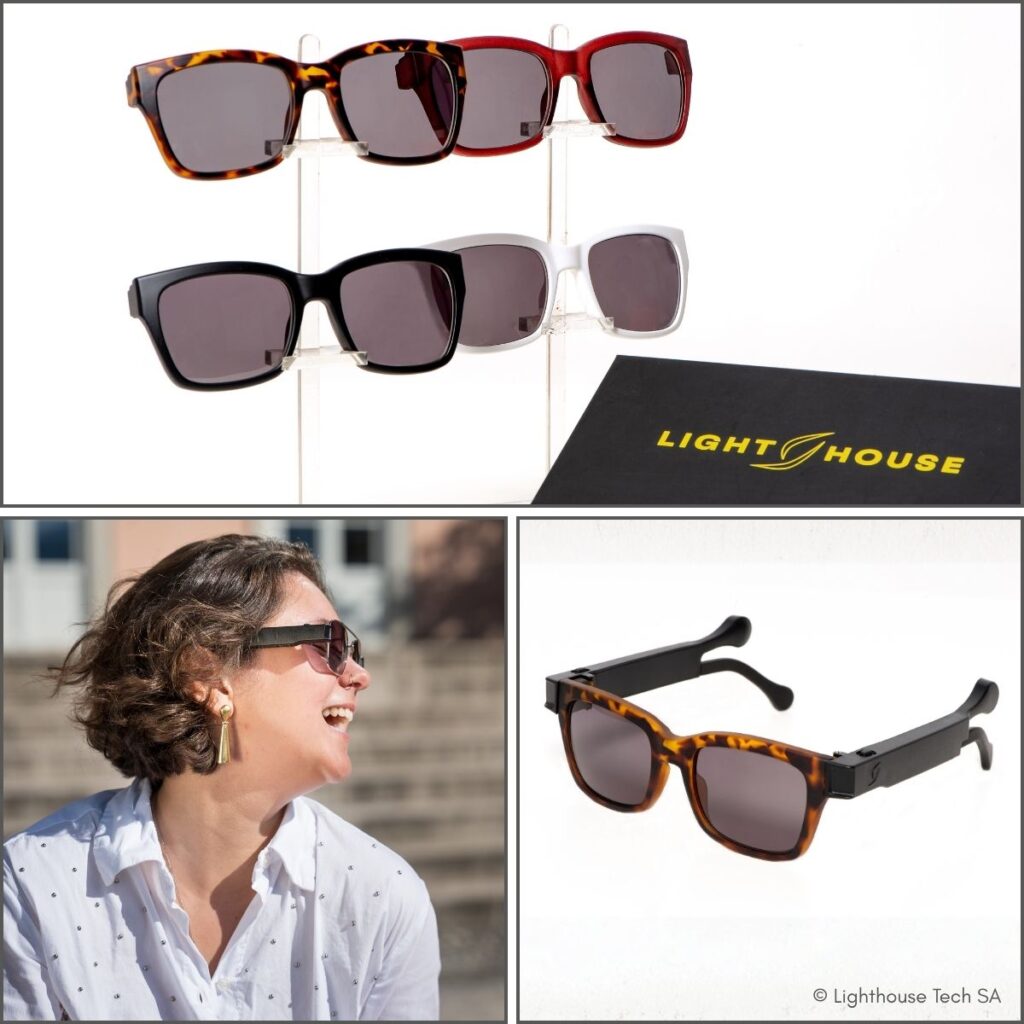
TAMI® is a smart pair of glasses that detects obstacles in the upper body area at an early stage and alerts the wearer via haptic vibrations in the temples, intuitively indicating three directions (left, centre, right) and two intensities (near, far). Two 60 GHz radar sensors provide a very wide field of view for greater safety in everyday life. Lightweight (under 60 g), robust (IP55), 5–6 hours’ battery life, optionally customisable via app and compatible with prescription lenses. CE-certified (EU MDR Class I).
Exhibitors:
Stand number
2W03
Eyes Reality
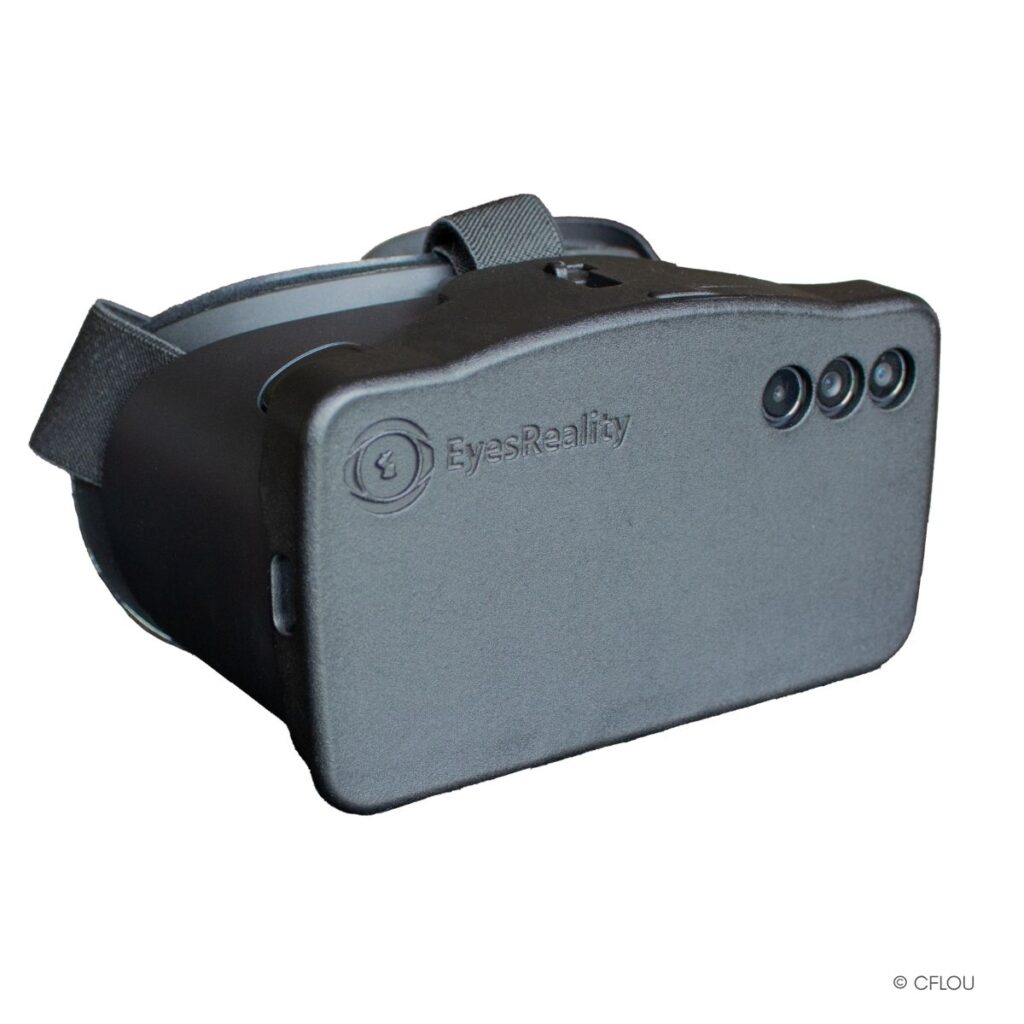
Eyes Reality is an augmented reality low-vision simulator designed for awareness-raising, training and campaigns. In real-world environments, users experience over 25 eye conditions, either individually or in combination. The intensity and combinations can be flexibly adjusted, allowing different visual impairments to be realistically simulated. This creates an immediate, immersive change of perspective, highlights barriers in everyday life and fosters an understanding of inclusion and accessibility.
Exhibitors:
Stand number
2N06
KapX
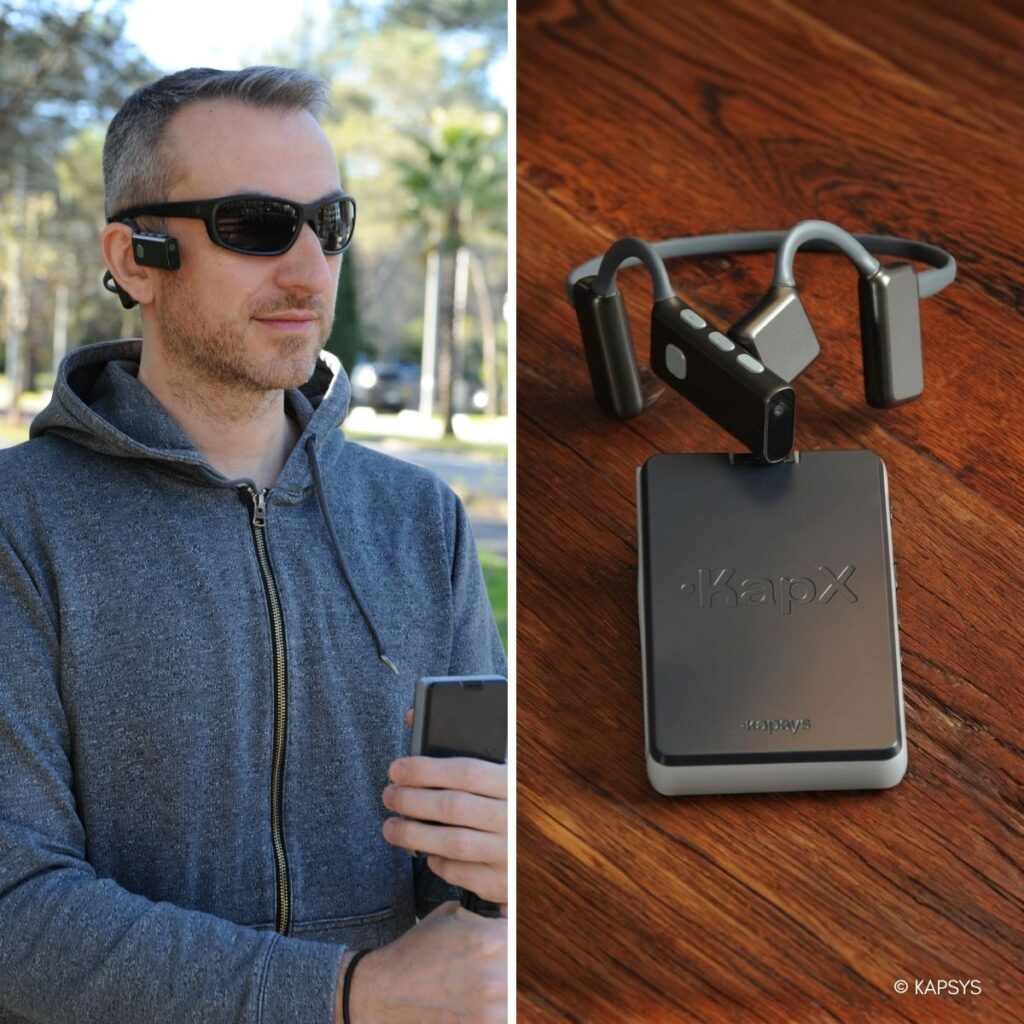
KapX is a lightweight, portable headset that helps blind and visually impaired people navigate safely in their daily lives. It detects objects in real time, warns of obstacles and picks up on relevant changes in the ground. Using intuitive 3D audio guidance, KapX provides precise information about the user’s surroundings and direction of movement, enabling them to navigate more independently, confidently and with greater assurance.
Exhibitors:
Stand number
2005
SenseTap

SenseTap uses NFC to make everyday objects ‘speak’ to blind and visually impaired people. Simply tap your smartphone and the stored information is read aloud – for example, what’s in the cupboard, what’s behind a door, or important product details. No extra hardware, no complicated operation. This turns small barriers into moments of independence – at home, on the go, in public spaces and at work.
Exhibitors:
Stand number
1U09
HapticGuide
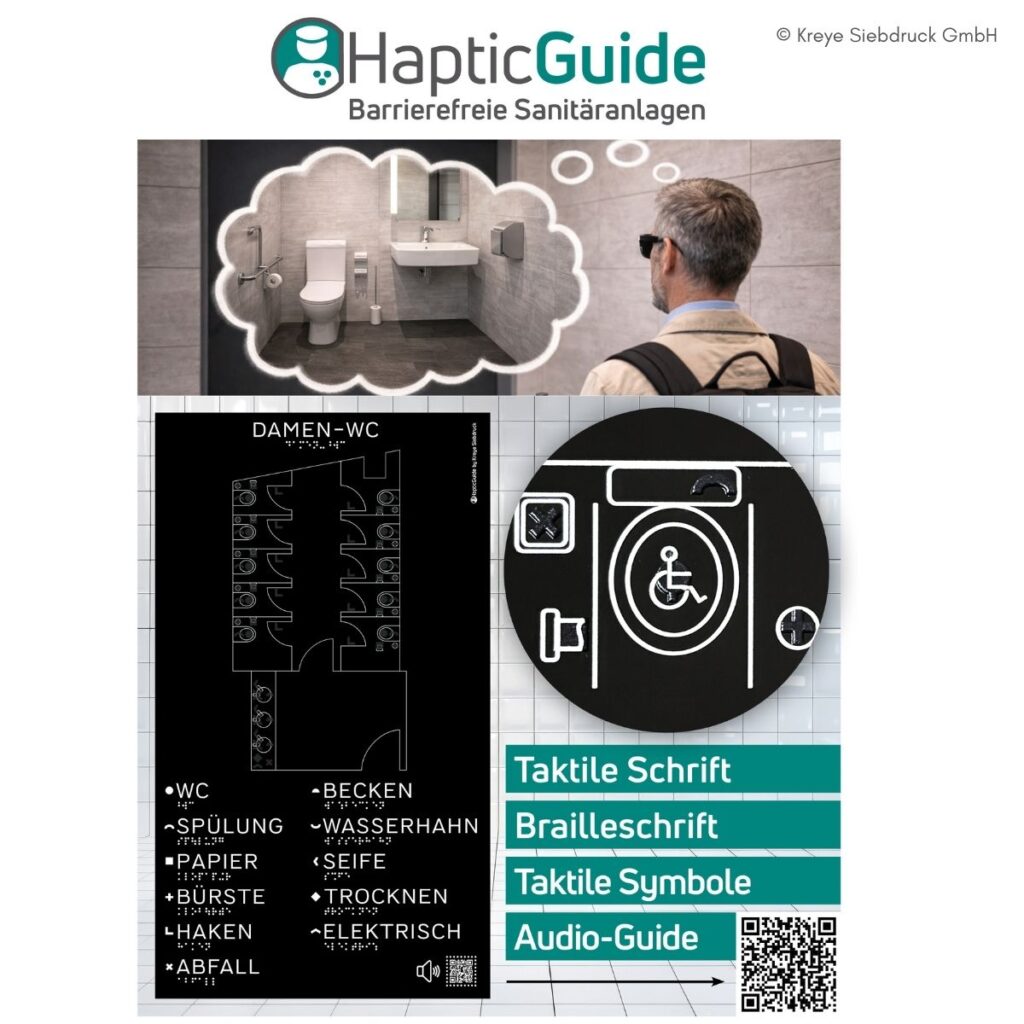
HapticGuide is a haptic guidance system for accessible washrooms, designed specifically with blind and visually impaired users in mind. It provides clear, consistent information on the functions and locations of fixtures such as washbasins, toilets and soap dispensers. The system combines Braille, tactile lettering, tactile symbols, tactile floor plans and guide lines, supplemented by an audio guide accessible via a QR code. This makes the use of public toilets safer, more independent and more dignified.
Exhibitors:
Stand number
2I02
BlindShell Classic 3
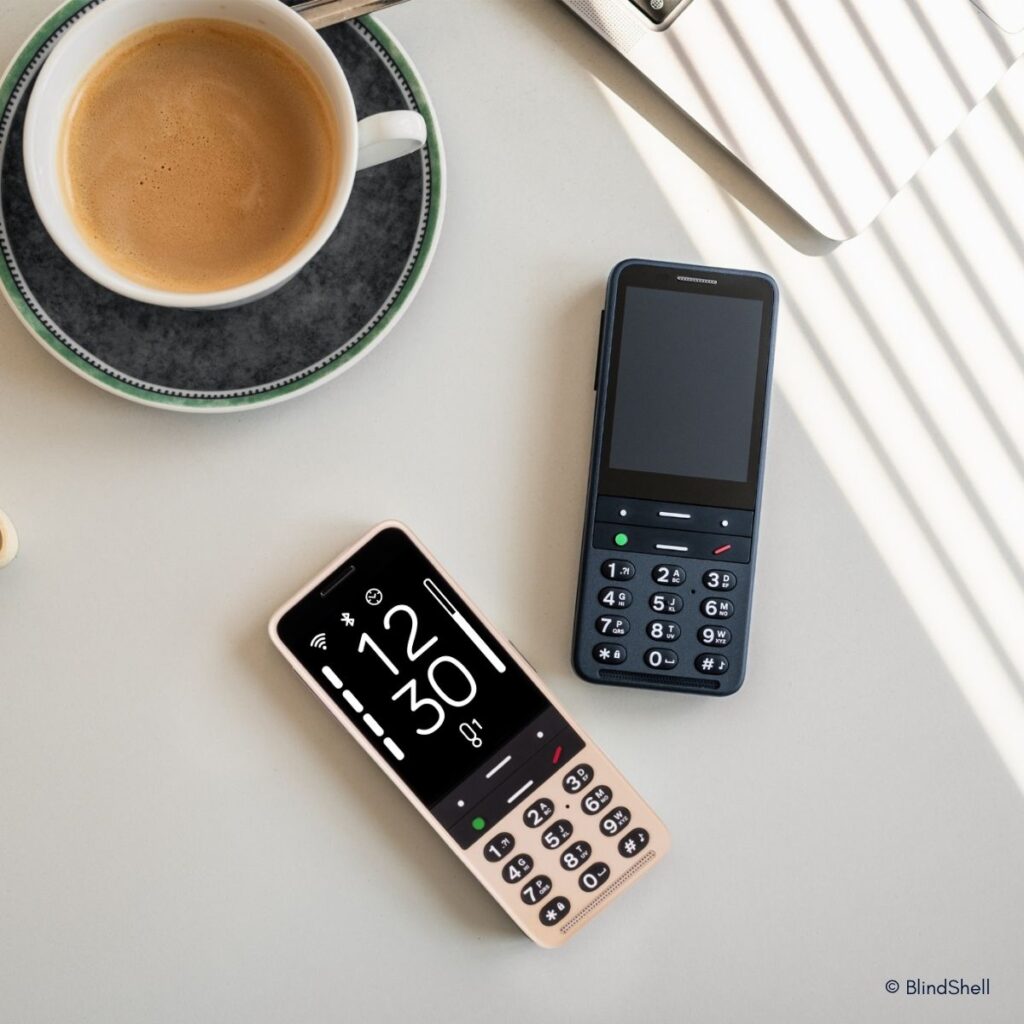
The BlindShell Classic 3 is a mobile phone designed specifically for blind and visually impaired people. Large, tactile buttons, a loud speaker and comprehensive voice control make it possible to make calls, send messages, manage contacts and set alarms entirely hands-free. A key feature is remote support via the Tandem app. The AI assistant Luna helps with everyday tasks such as searching for information and managing the calendar, whilst Observo describes scenes, reads out and translates text, and recognises colours and banknotes. Long battery life included.
Exhibitors:
Stand number
2N13
my Board Buddy GO
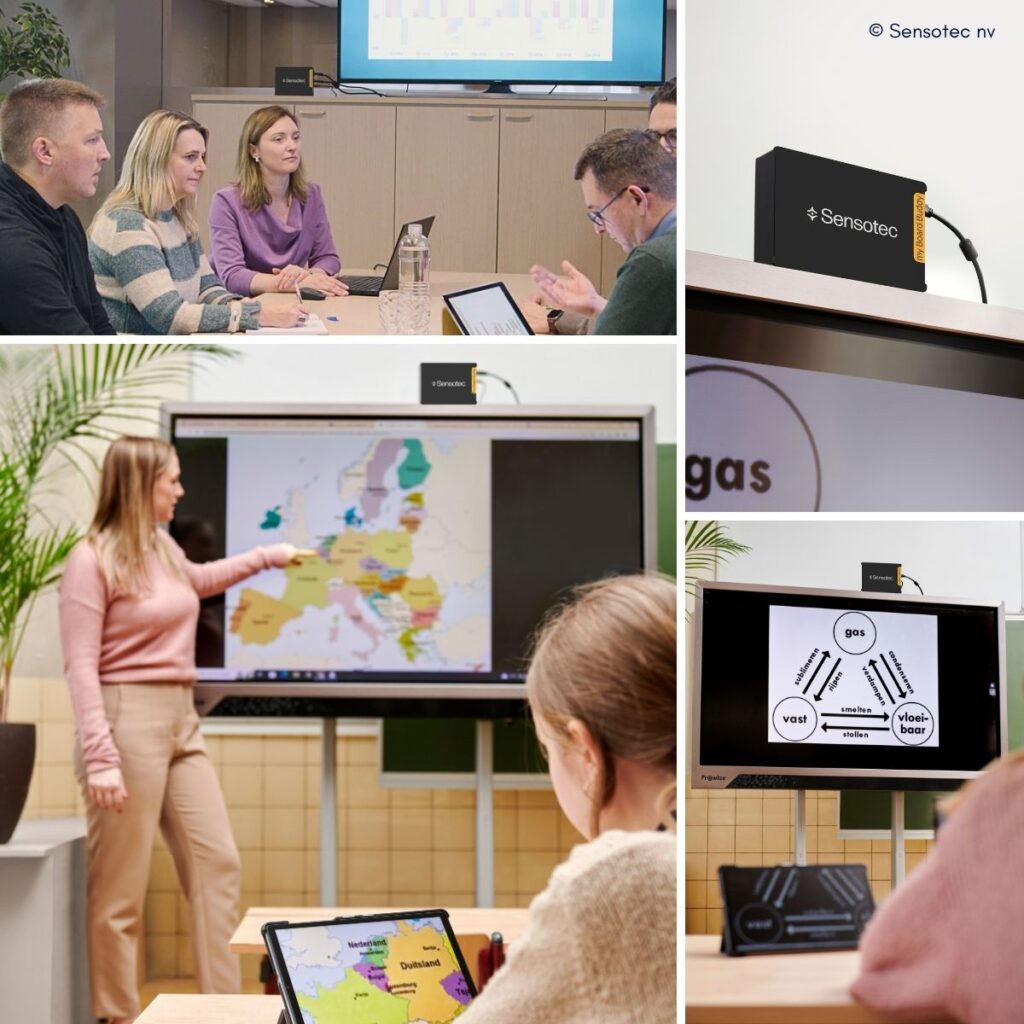
My Board Buddy GO makes presentations on the Smartboard directly accessible to people with visual impairments. A transmitter is connected between the laptop and the display and wirelessly transmits the screen content to the user’s tablet. Within the app, users can zoom in and adjust the contrast and colours for better readability and reduced eye strain. This enables pupils and staff to follow lessons and meetings in full and participate actively.
Exhibitors:
Stand number
2017
WeWALK SMART CANE 2
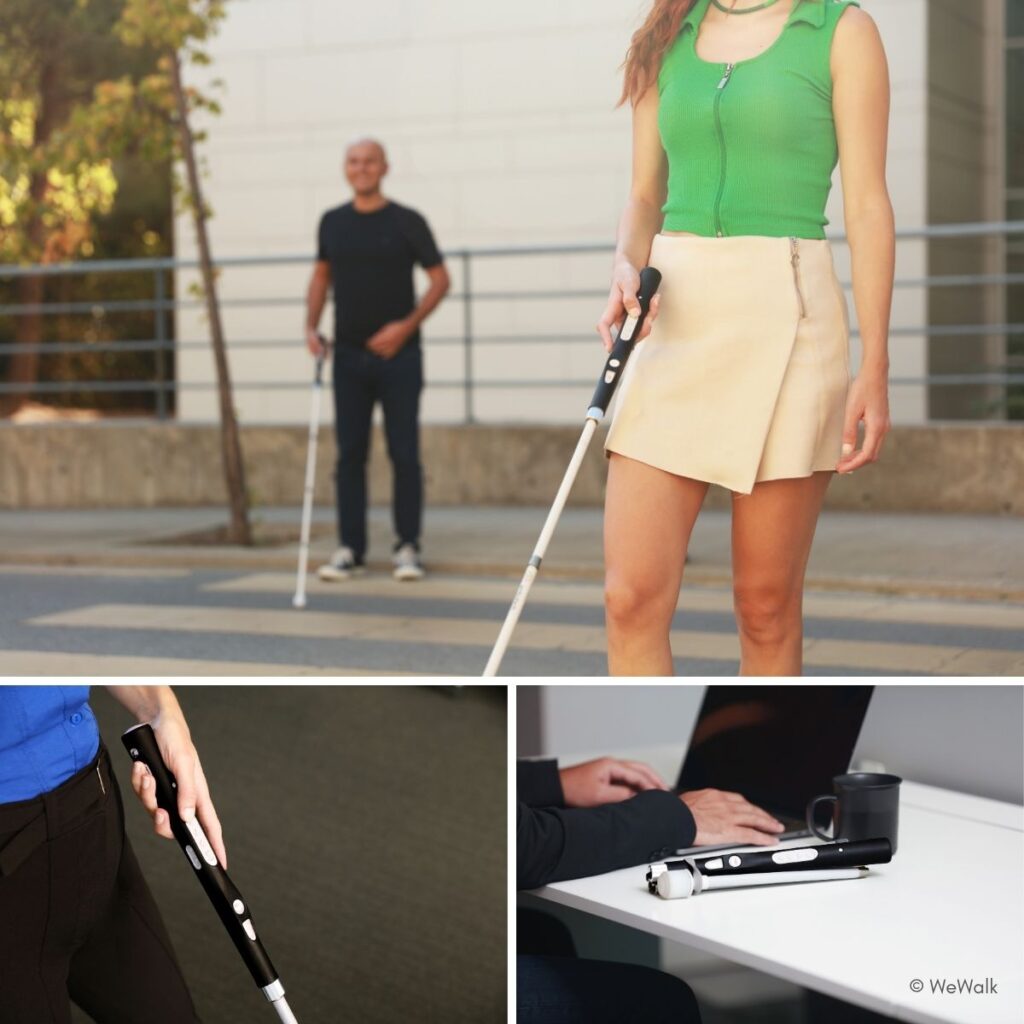
WeWALK Smart Cane 2 transforms the white cane into a smart mobility companion. Ultrasonic sensors detect obstacles at head and upper-body height and alert the user via haptic feedback in the handle. A built-in speaker and microphone enable simple, hands-free operation. With Moovit, the system offers seamless navigation, including public transport, in over 3,000 cities, from door to door. The app also works without the cane being connected and provides additional AI-powered voice functions for search, navigation and control.
Exhibitors:
Stand number
4I09
MARBLE
Marble is an educational software programme for blind and visually impaired people that teaches Braille and digital skills through play. With over 24 inclusive games, users practise Braille dots, keyboard skills and the use of a Braille display in realistic scenarios, without frustration and with high motivation. The system adapts flexibly to existing hardware (QWERTY, Perkins input, Braille display) and enables independent learning. In this way, Marble significantly shortens the path to Braille reading proficiency and enhances digital participation in school, training and work.
Exhibitors:
Stand number
1U03
Keynoa Rings
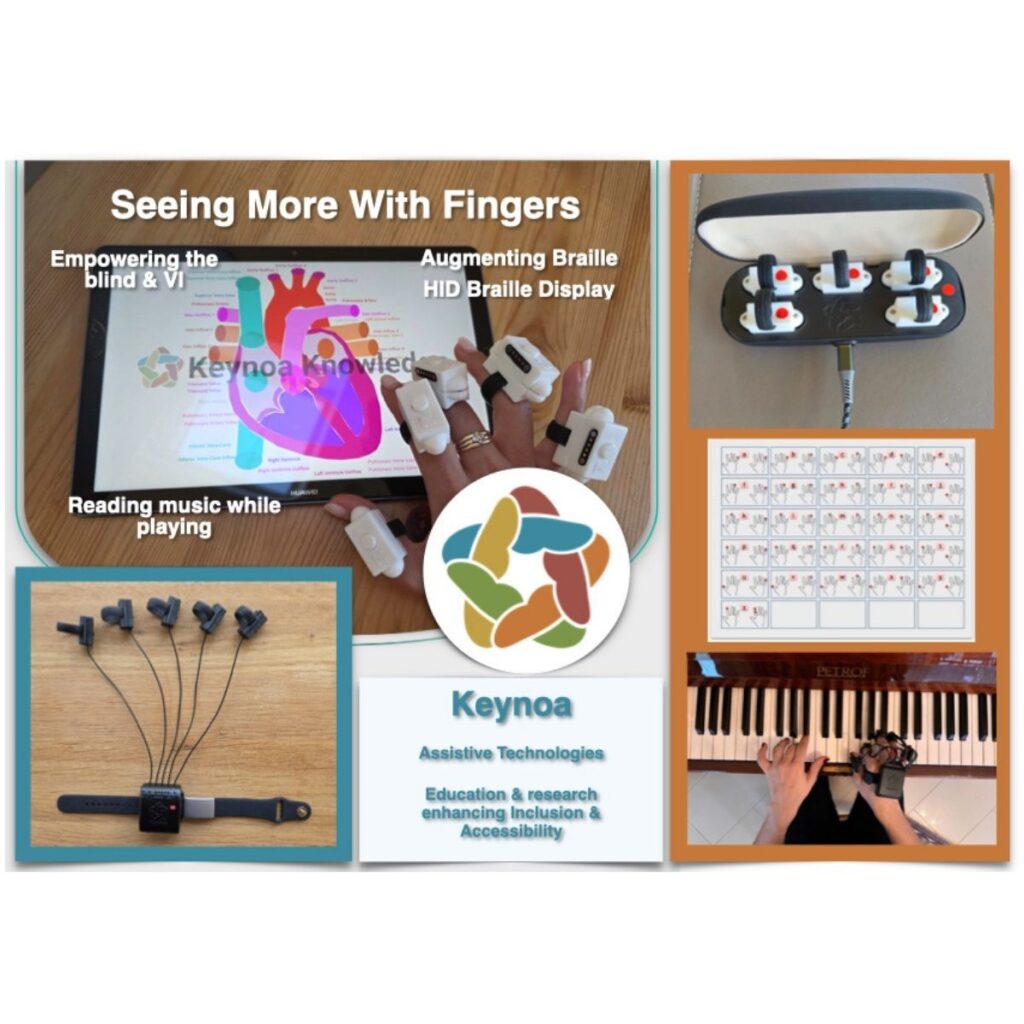
Ten smart rings make digital content tangible at your fingertips, without the need for a display or sound. A universal haptic ‘language’ translates text and Braille, as well as graphics, colours, musical notation and spatial information, into nuanced vibration patterns. This enables blind and visually impaired people to read, write and learn quietly and privately, and to explore complex representations such as maps, diagrams or anatomical illustrations independently. An optional object-sensing module supports spatial orientation.
Exhibitors:
Stand number
1U03
Snow Pad
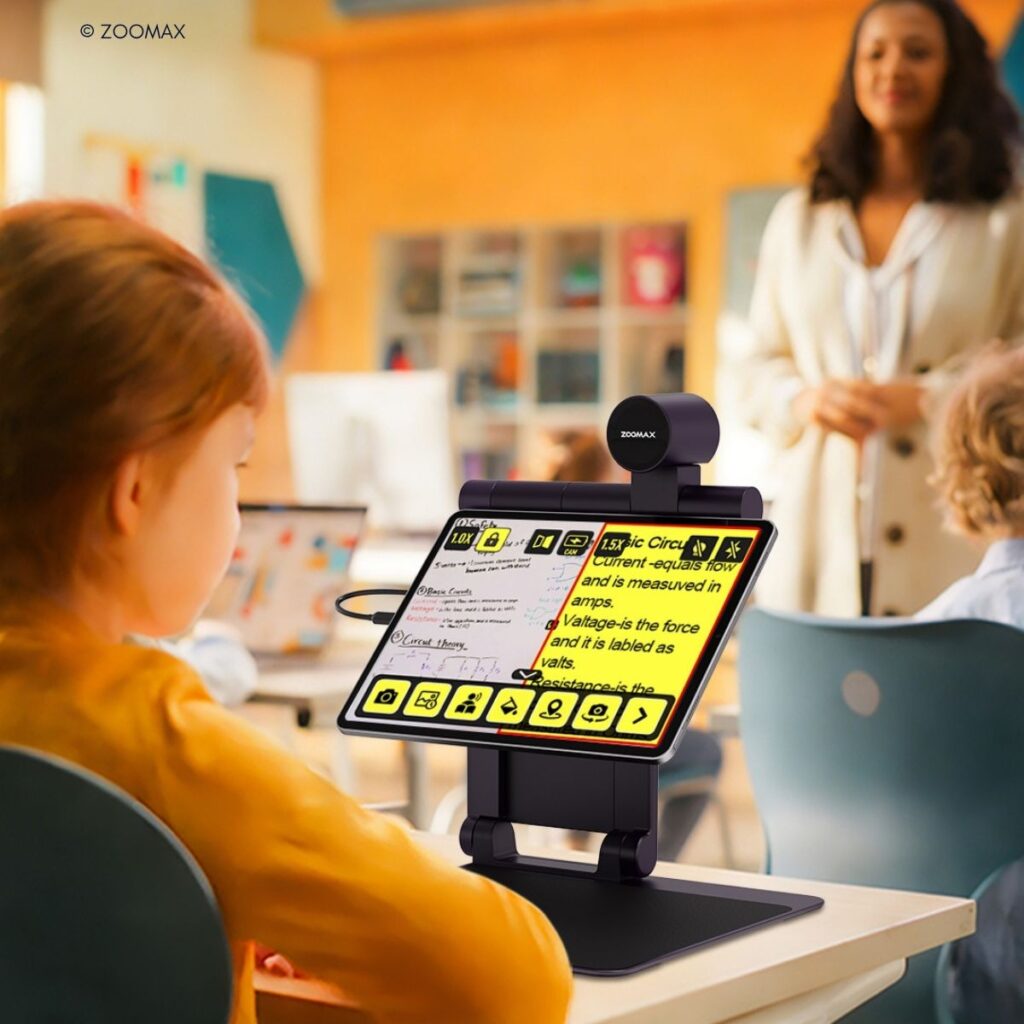
A mobile visual aid for pupils with visual impairments that works just like a standard tablet setup. The system is compatible with standard iPads and Android tablets (including Samsung and Xiaomi), making use of existing devices. In the classroom, the split-screen feature allows pupils to view both the blackboard and their textbook at the same time. A fast autofocus camera delivers a clear live image with minimal delay. OCR and text-to-speech functionality offer ‘tap-to-read’ for quick reading. All features run offline, without the cloud, with a focus on data privacy. Opens in 1 second, ready for immediate use.
Exhibitors:
Stand number
2015
InclusiveVR@Work
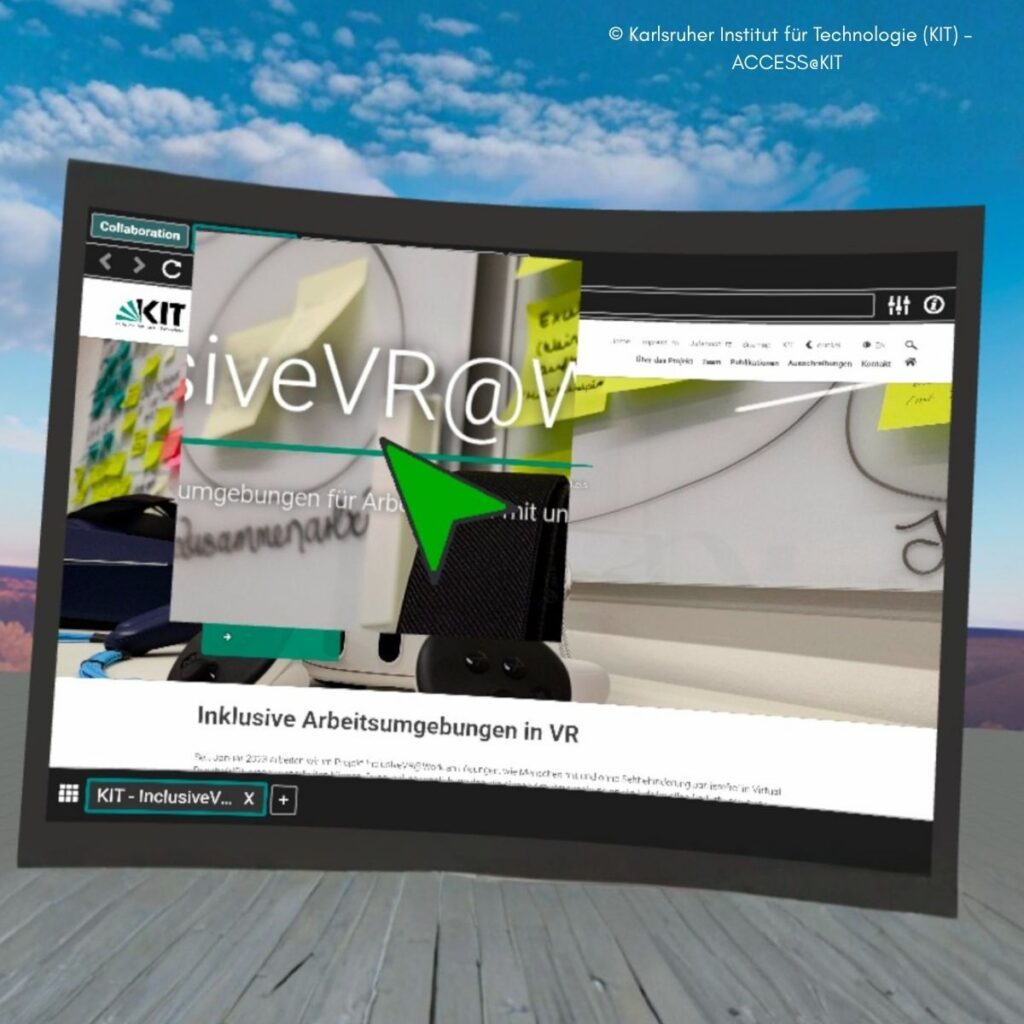
InclusiveVR enables inclusive, equal working in VR for teams with and without visual impairments. Using a VR web browser, familiar applications such as email, Office and collaboration tools can be used without the need for special VR versions. Virtual monitors can be freely arranged and individually adjusted to suit visual needs (zoom, contrast, colours, magnifier). The keyboard and mouse remain the primary input devices; the cursor and focus can be highlighted. Collaboration features include shared tabs, visible cursors and spatial audio.
Stand number
1I04
The “Optimal Digital” project – PRO RETINA’s digital experts
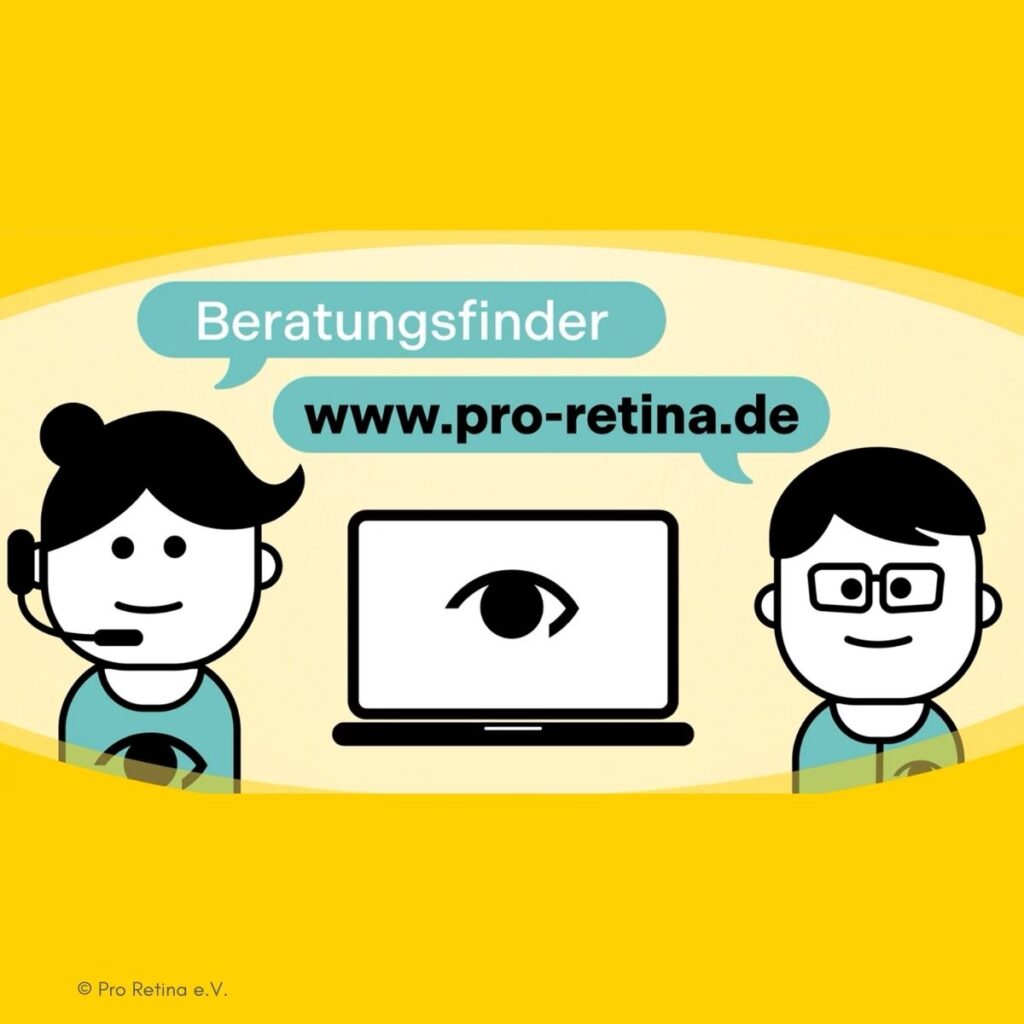
Digital technologies can help people with visual impairments to become more independent, but getting started is often difficult. This peer support service offers low-threshold, personalised assistance based on the principle of ‘helping people to help themselves’, via Zoom, telephone, email or at regional meetings. In one-to-one and group training sessions, practical knowledge is shared about useful apps and everyday digital services such as online banking, e-prescriptions or video consultations – by people with visual impairments, for people with visual impairments.
Exhibitors:
Stand number
1N05
Online prevention course: Strength training for people with visual impairments
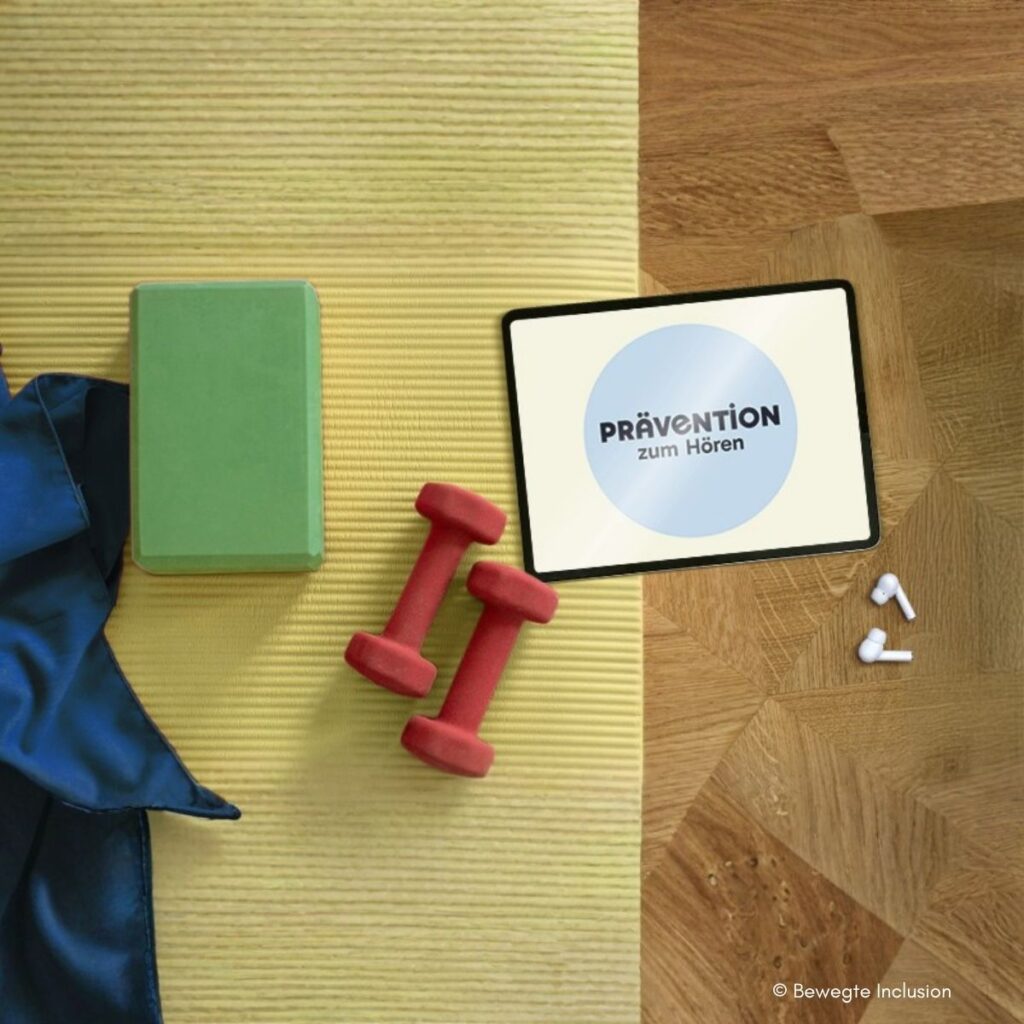
A certified online prevention course for blind and visually impaired people, delivered entirely through audio guidance and without any visual elements. Clear verbal instructions are combined with strength training for the core, posture and balance, with the aim of improving safety in everyday life and physical stability. It is the first course of its kind in Germany to be officially recognised and, depending on your health insurance provider, may be eligible for up to 100% reimbursement. An important step towards inclusive health prevention.
Exhibitors:
Stand number
1U11
Seika Mini Plus2
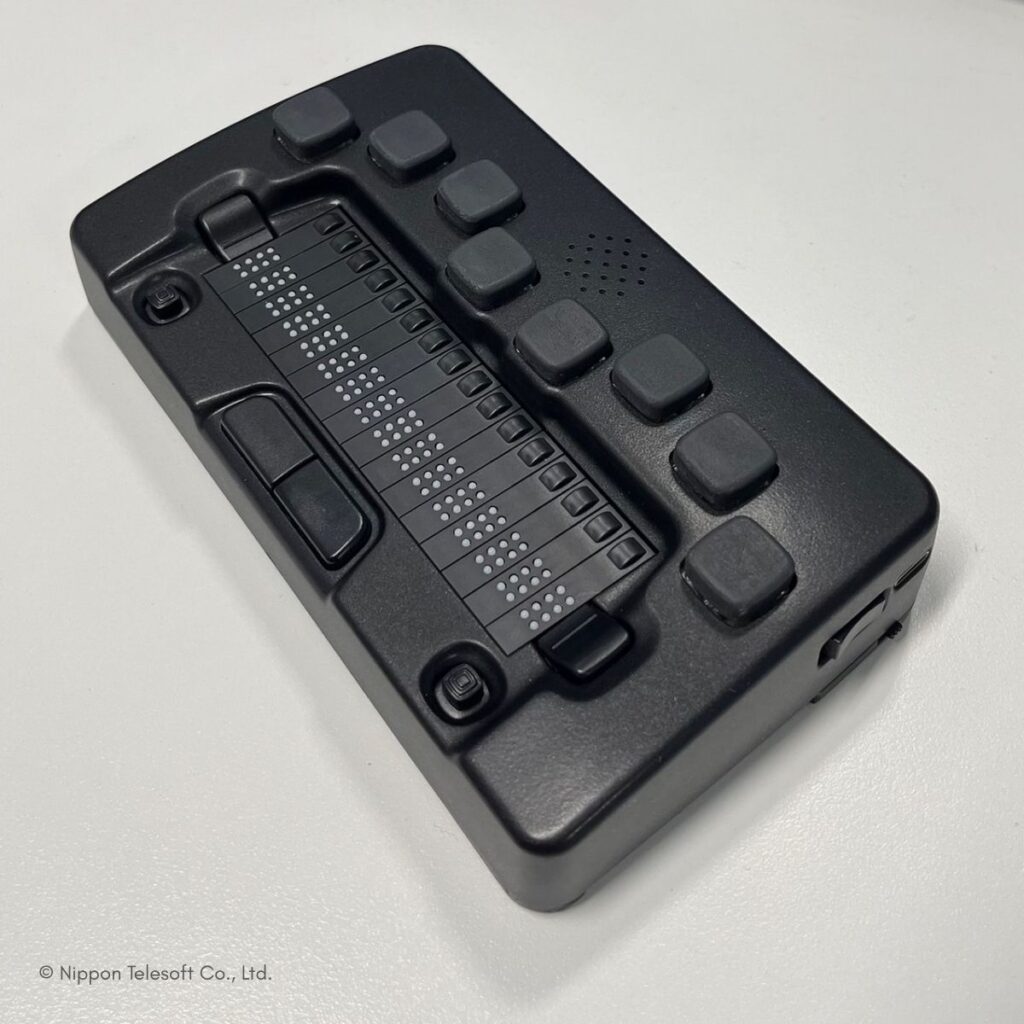
The Seika Mini Plus2 is a modern Android note-taking device that can also be used as a Braille display via USB or Bluetooth. It works with iOS and Android devices as well as Windows PCs and Macs, making it suitable for a wide range of everyday scenarios, whether at school, university or work. Its functionality can be flexibly expanded through access to Android apps. An integrated SIM card slot also turns it into a standalone phone, ideal for anyone who wants to stay as light, connected and independent as possible whilst on the move. Nominee for the SightCity FeelVision Award.
Exhibitors:
Stand number
2W02
BrailleNote evolve
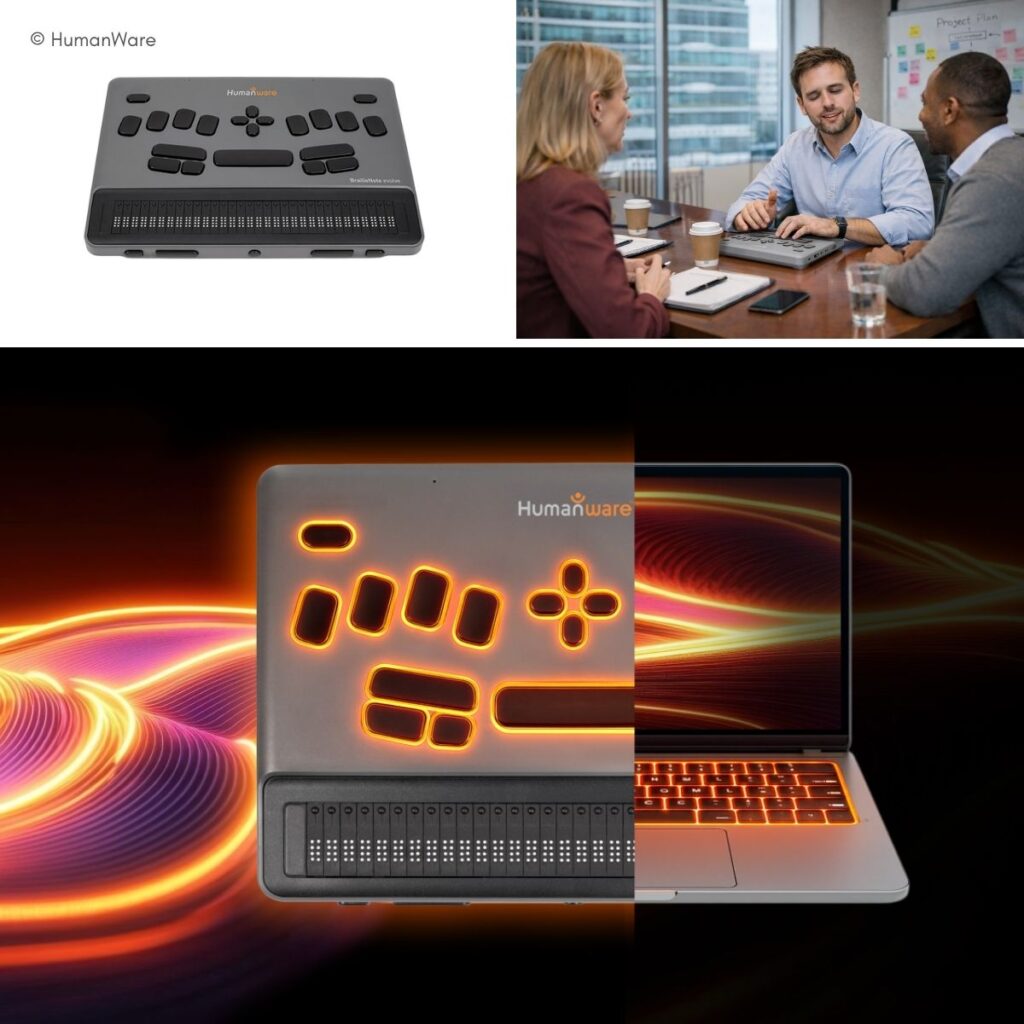
BrailleNote evolve combines a Braille-centred user experience with the full power of a Windows 11 Pro device. Via the familiar KeySoft environment, users start in a structured Braille workflow and, when needed, switch seamlessly to the Windows environment, including common applications and cloud services. With high performance (including 32 GB RAM) and compatibility with JAWS and NVDA, the system supports learning, training and work without the need to switch devices.
Exhibitors:
Stand number
2010
JAWS for Kiosk

JAWS for Kiosk brings the tried-and-tested JAWS screen reader technology to Android-based payment terminals, making self-service checkouts and payment kiosks accessible to blind and visually impaired people. Operation is optimised for typical payment processes, with clear, context-sensitive voice output and gesture-based navigation. At the same time, the device remains kiosk-secure and compliant: focused, locked and quick to deploy. This enables independent, accessible payments in retail, hospitality and financial environments.
Exhibitors:
Stand number
4I15
Feelware All-round Service

This comprehensive service makes it easier for people with visual impairments to purchase a suitable household appliance. Through a network of selected electrical retailers, advice and a local point of contact are available. Together, they assess which appliance is suitable and can be made accessible. Delivery, professional installation and after-sales service are handled by the local specialist shop; the accessibility retrofit is organised, including, on request, assistance with claiming costs from health insurance.
Exhibitors:
Stand number
2N10
BIEL SMARTGAZE ORA
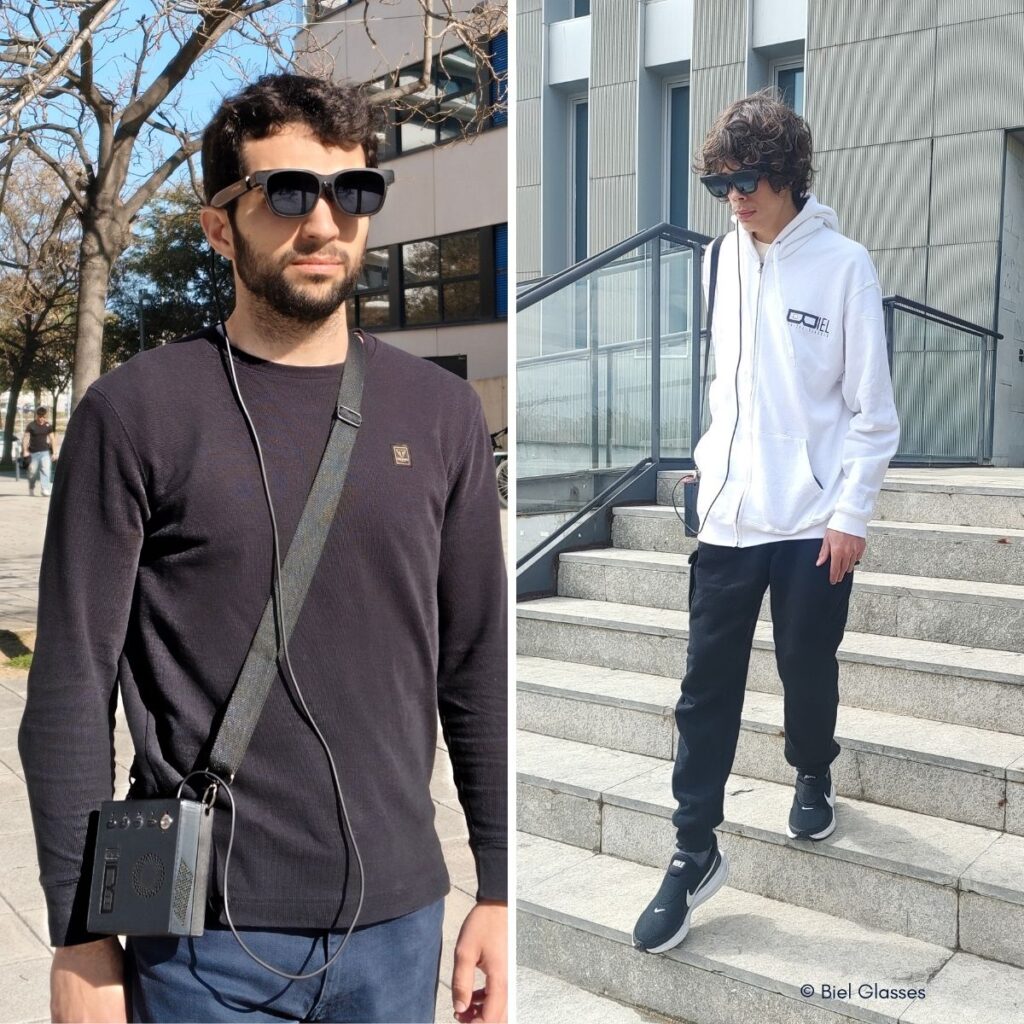
BIEL SMARTGAZE ORA are discreetly designed smart glasses for people with visual impairments, designed to support safe and independent mobility. AI analyses the surroundings in real time and warns of obstacles at head, upper body and floor level (e.g. branches, steps, holes). Intuitive visual and audible cues guide the wearer through the space; zoom and adaptive light control reduce glare and improve visibility in difficult lighting conditions.
Exhibitors:
Stand number
4O05
ASHIRASE
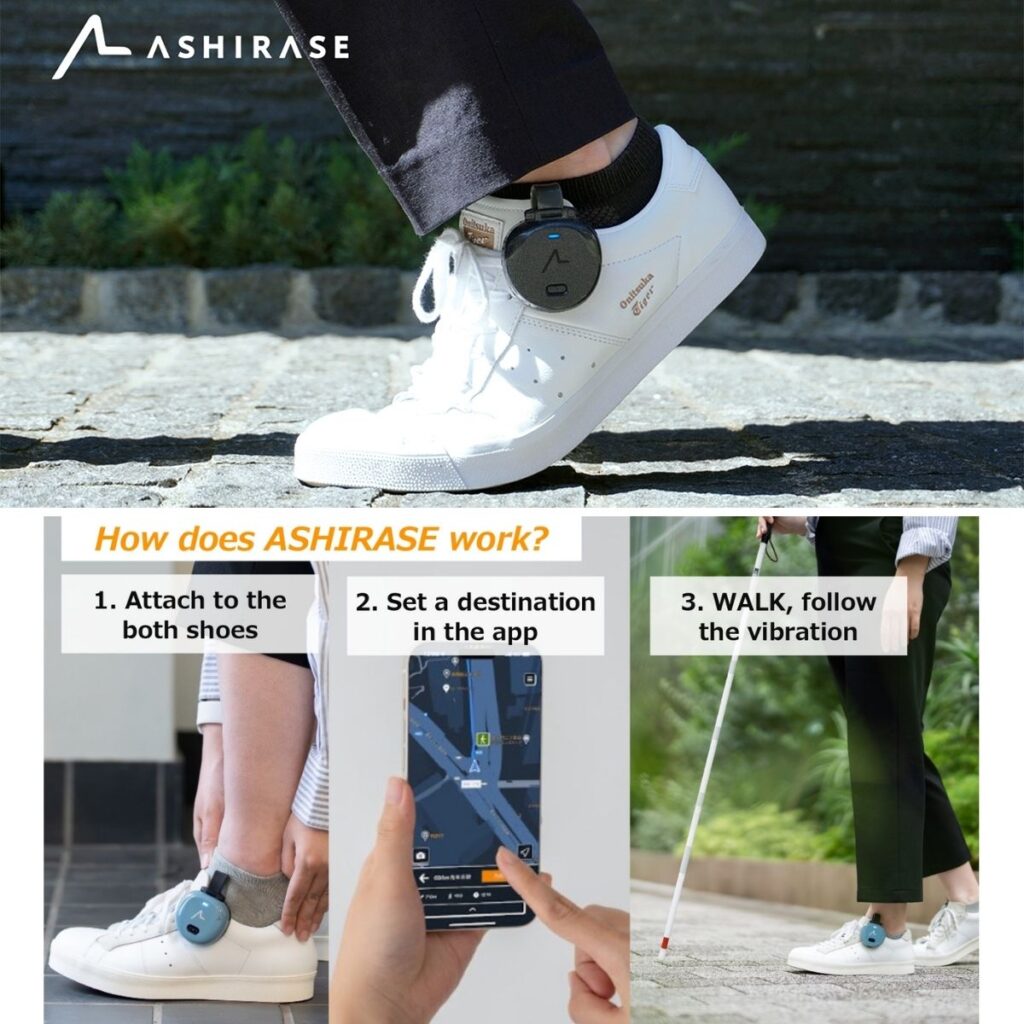
ASHIRASE is a haptic navigation system for blind and visually impaired people: lightweight modules attached to the shoe provide directional and turning instructions via gentle vibrations on the foot. This leaves the hands free for a white cane or guide dog and the ears open to the surroundings. With saved destinations and the MyRoute function, users can create personalised daily routes; the system can also suggest easier routes with fewer turns, if desired.
Exhibitors:
Stand number
4I10
feelSpace naviBelt S15
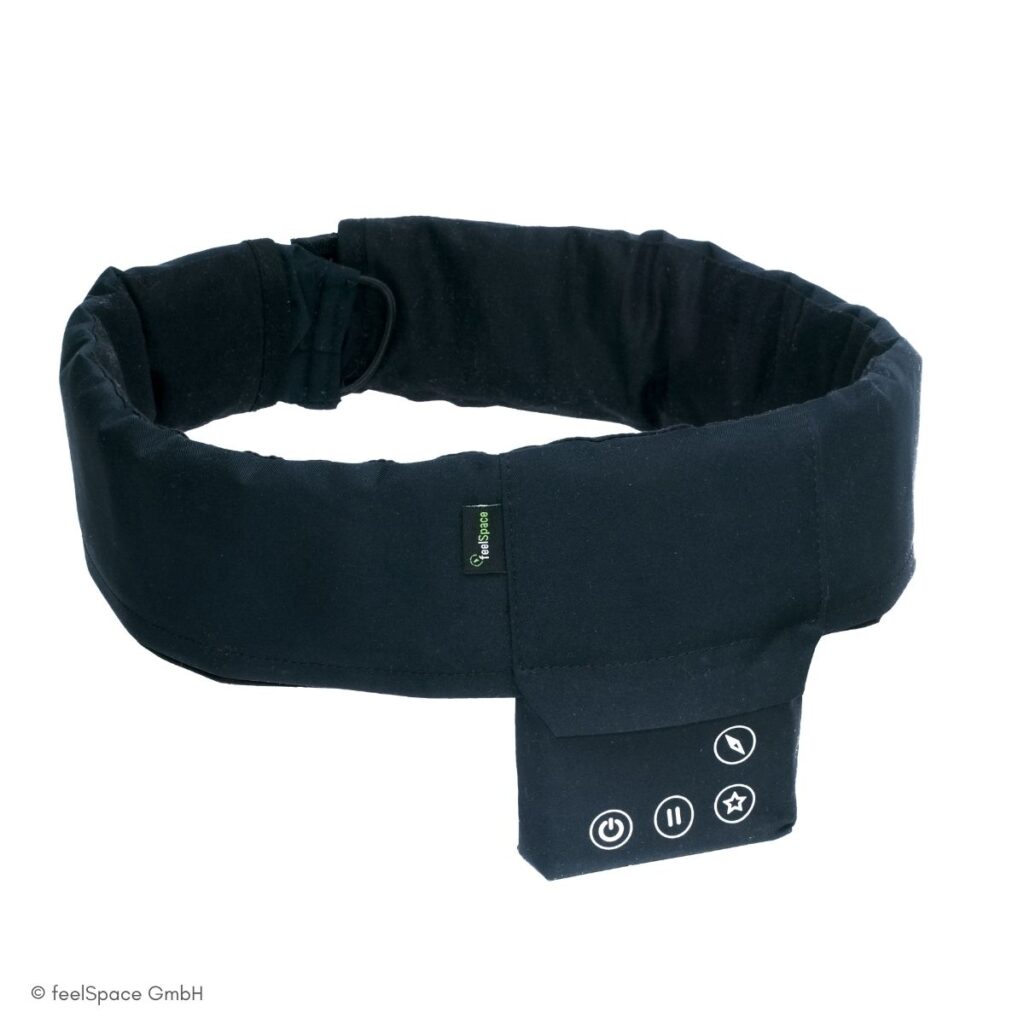
The naviGürtel S15 is an innovative assistance system for blind people that provides orientation via 15 vibration elements positioned around the waist. This allows the user to continuously sense the cardinal directions and the direction of travel, without the need for any audio prompts. As a result, the user’s hearing and attention remain free to focus on their surroundings, which is a safety benefit, particularly in road traffic. The belt provides intuitive support when walking in a straight line, changing direction and in unfamiliar surroundings. The updated S15 design offers greater comfort and complements aids such as the white cane effectively.
Exhibitors:
Stand number
2N15
myBraille
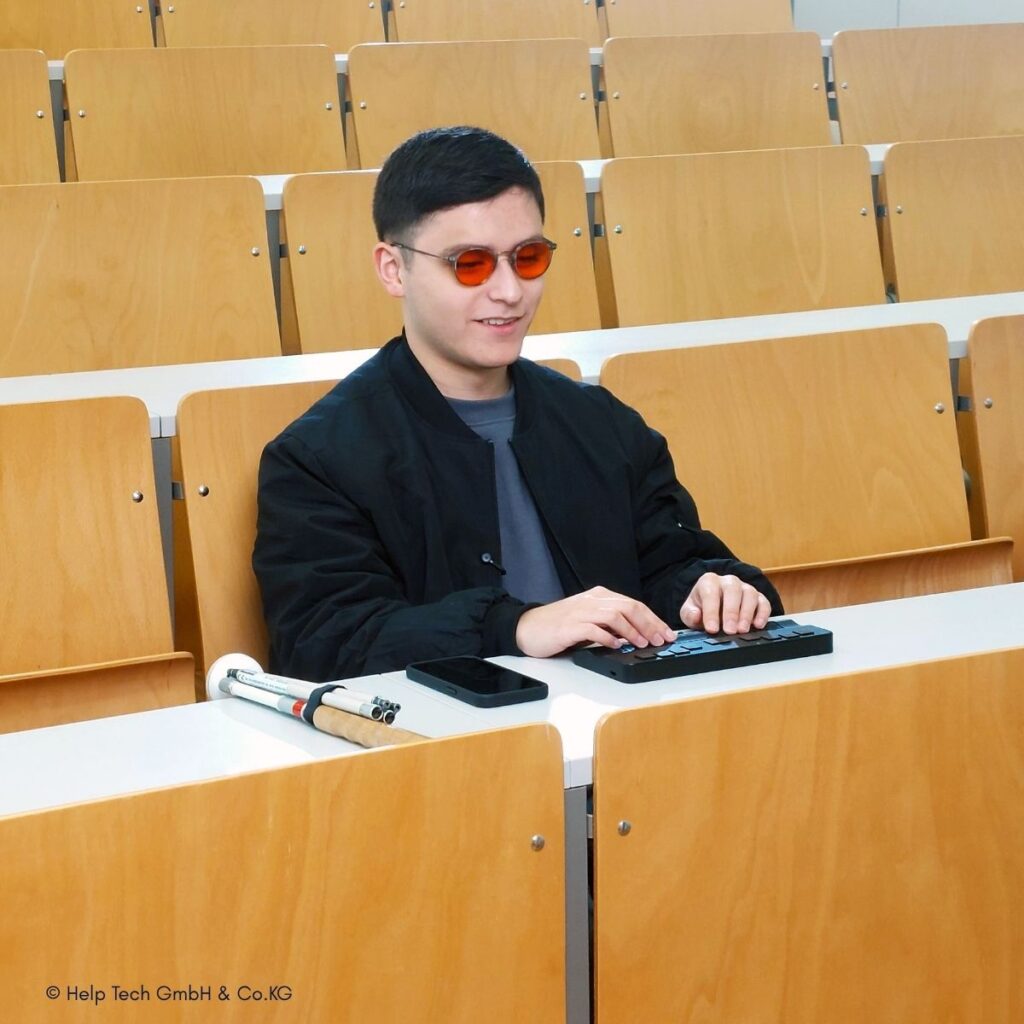
myBraille is a modular Braille display that adapts seamlessly to the individual needs of the user, rather than the other way round. Whether at work, in education or on the move: the design, operating concept and functions can be flexibly configured, combined and expanded as required. The result is a personalised Braille solution that supports a variety of usage scenarios, working styles and preferences, and grows alongside your needs. Experience myBraille live for the first time at SightCity 2026.
Exhibitors:
Stand number
4I17
Eyecane
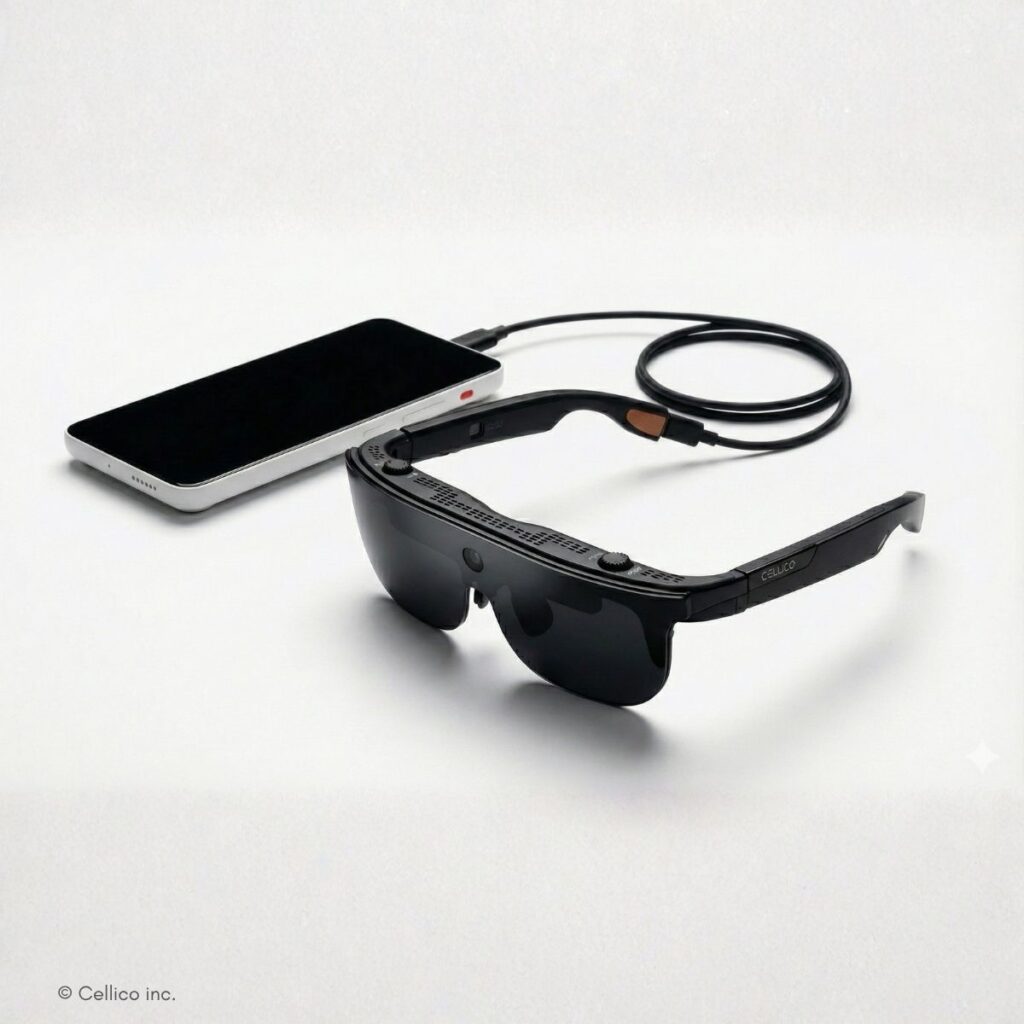
EyeCane is an AI-powered assistance system for people with visual impairments: lightweight AR glasses and a smart device capture the user’s field of view via a camera, process it in real time and display it in an optimised Full HD format. Users can customise the magnification (up to 20x), brightness, contrast and colour modes to suit their individual needs. In addition, object recognition, offline text recognition (OCR) and scene description assist with reading, recognition and orientation in everyday life.
Exhibitors:
Stand number
1U07
Nemonic Dot Braille Label Printer
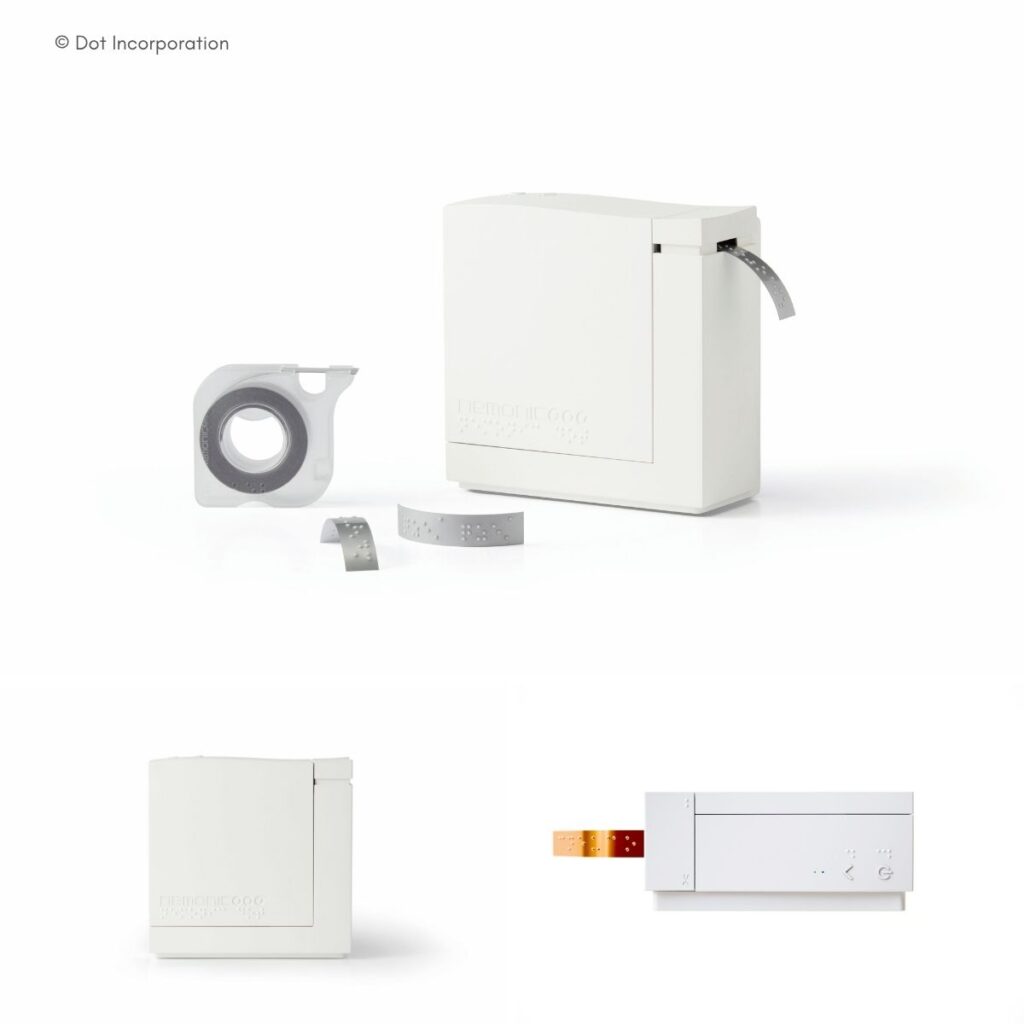
The portable Braille label printer enables accessible labelling at the touch of a button, with no prior knowledge of Braille required. Using the app, text can be typed or converted directly into Braille via voice input and printed as tactile labels. Ideal for pharmacies (dosage instructions, medication), schools and educational institutions (materials, wayfinding), as well as events, hotels or offices (temporary signage). Durable labels and an optional metal ribbon ensure long-lasting labelling. Nominee for the FeelVision Award.
Exhibitors:
Stand number
2019
Exigo 4U – A Breakthrough in Education for the Visually Impaired
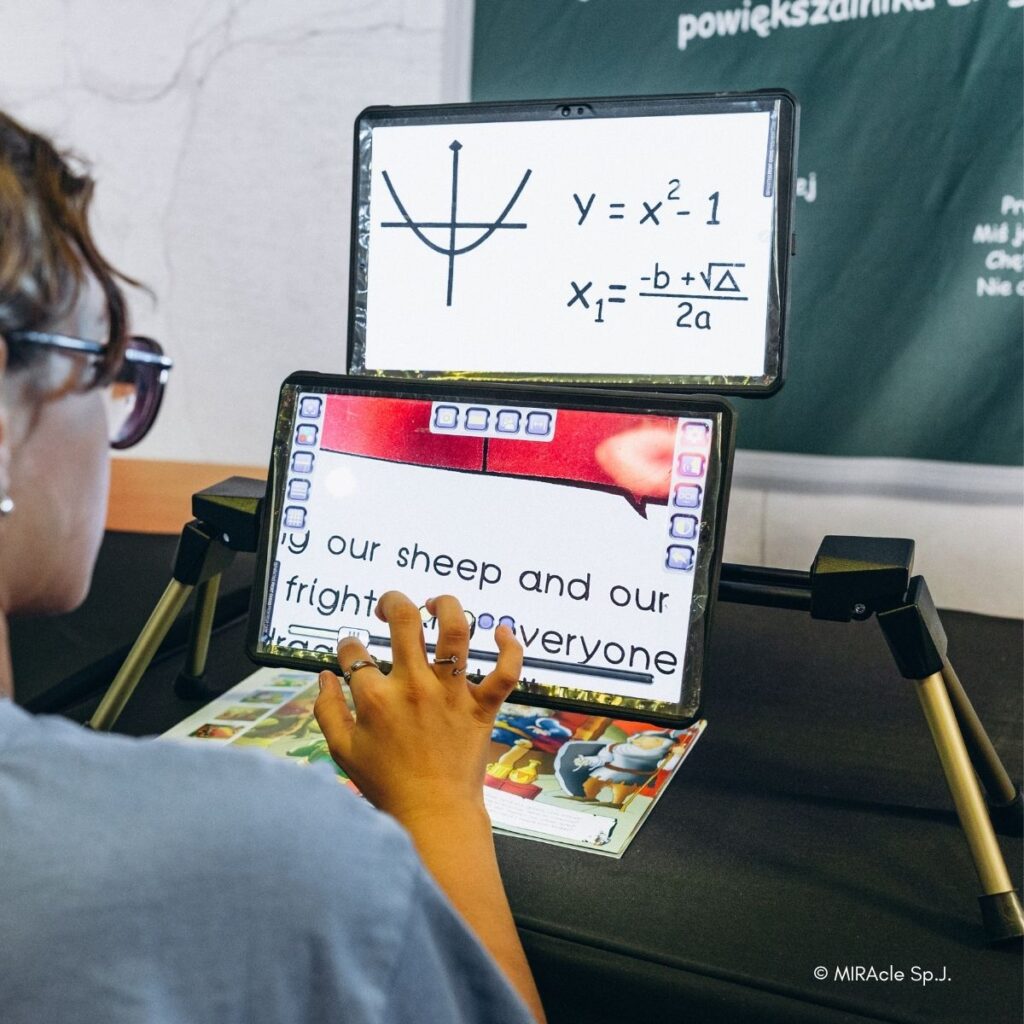
Exigo 4U is a modern electronic magnifier for people with visual impairments. Two high-resolution 12.5-inch displays show content from both near and far distances simultaneously, allowing you to view the blackboard and a book at the same time. Ideal for school, university and work, as you can switch between near and far views without losing context. OCR with text-to-speech reads out text, and a translation function supports 56 languages. The large work surface is suitable for writing and drawing up to A3 size; it is portable thanks to its lightweight design and up to 8 hours of battery life, with a magnetic USB-C connection.
Exhibitors:
Stand number
4W04
FOCUS 640 – Generation 6
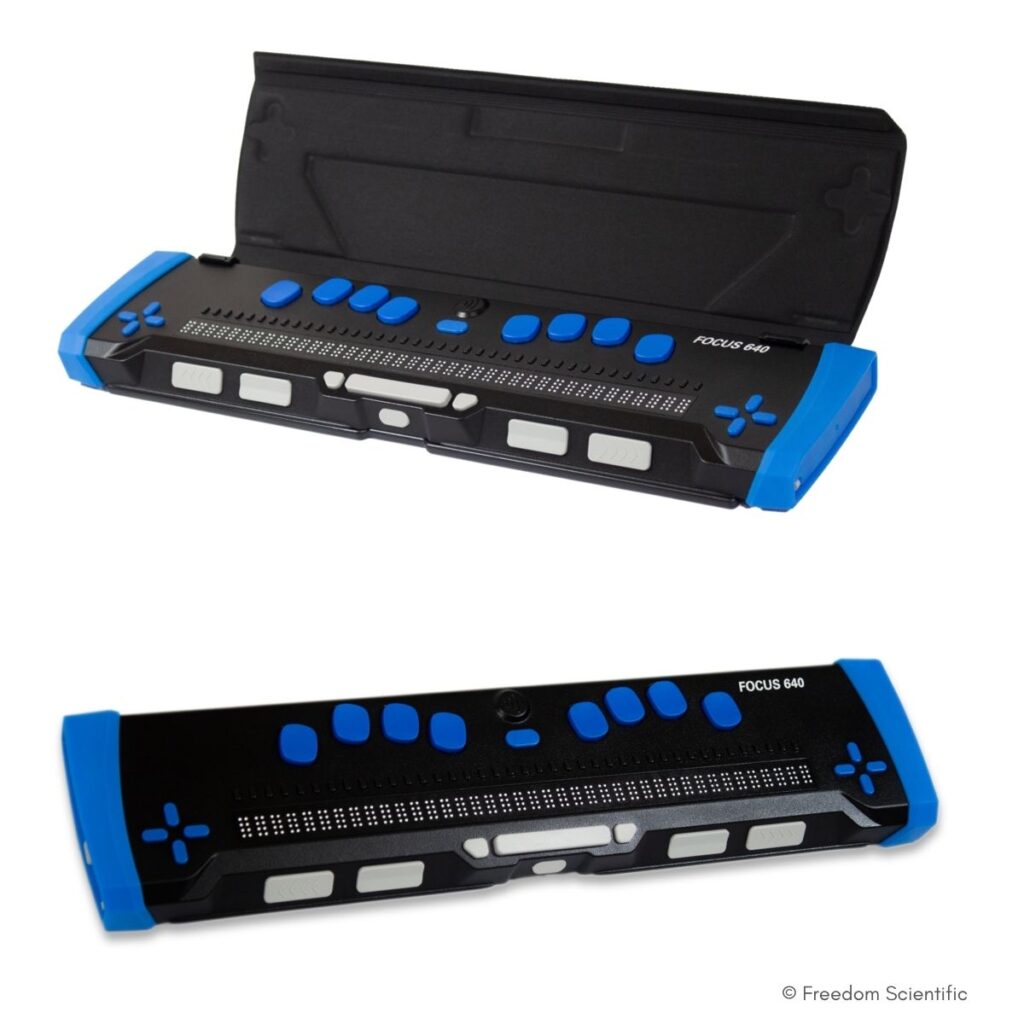
The FOCUS 640 (6th generation) is a powerful, exceptionally robust Braille display designed for professional use, academic study and mobile working. With 40 updatable Braille modules, an 8-cell Braille keyboard, thumb keys, panning and cursor routing keys, and a four-way D-pad, it ensures fast navigation and efficient operation. Thanks to Bluetooth 5.1, up to five devices plus USB-C can be connected and switched between with ease. Redesigned Braille pins, a seamless cell cap and a durable surface provide a pleasantly smooth reading experience. Includes a notepad (also for shorthand) and up to 20 hours of battery life.
Exhibitors:
Stand number
4I15
Here’s how the voting works
You’ll find a QR code at each nominated product’s booth. Just scan it, and you’ll be taken directly to the voting form. Voting is free.
On-site, you can get information directly from the exhibitors—whether it’s about a product, software, or a service. You’ll receive all the information firsthand and can then make an informed decision. That’s why voting is intentionally only available on-site.
Voting ends: Friday, May 29, 2026, at 3:00 p.m.
We’ll announce the winner live on SightCity TV shortly thereafter.
The SightCity Surprise Box
Everyone who voted is automatically entered into our raffle.
Our exhibitors have donated items for the surprise box—and there are some really great things inside. In addition to classic trade show giveaways, this year’s box also includes practical assistive devices, such as a Braille keyboard. We’ll reveal exactly what’s up for grabs when we announce the winner of the FeelVision Award on Friday, May 29, starting at 3:00 p.m. on SightCity TV.
We’re also happy to ship the prize to you—so no need for a truck.